
Minecraft launcher for Fabric, Forge, NeoForge and Modrinth
Everything before you press play.
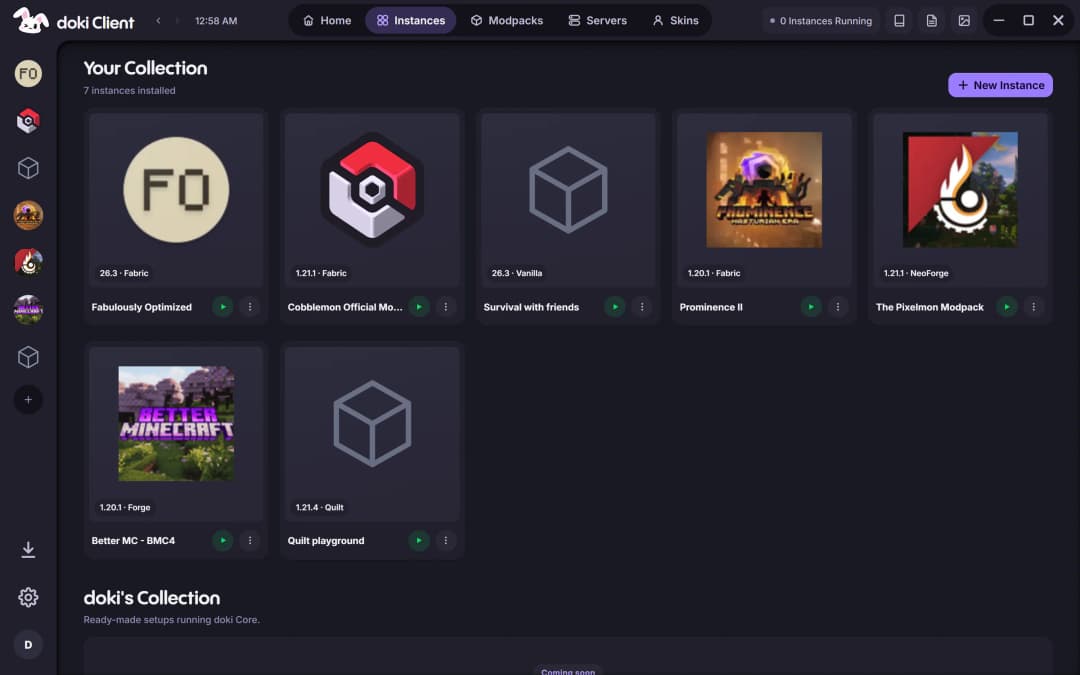
Any version. Any loader.
Make an instance on any Minecraft release, on Vanilla, Fabric, Forge, Quilt or NeoForge. doki installs the loader for you, including Forge on versions older than its modern installer, and keeps every instance in its own folder.
- Change version or loader in place
- Worlds, files and logs for each instance
- Import and export .mrpack
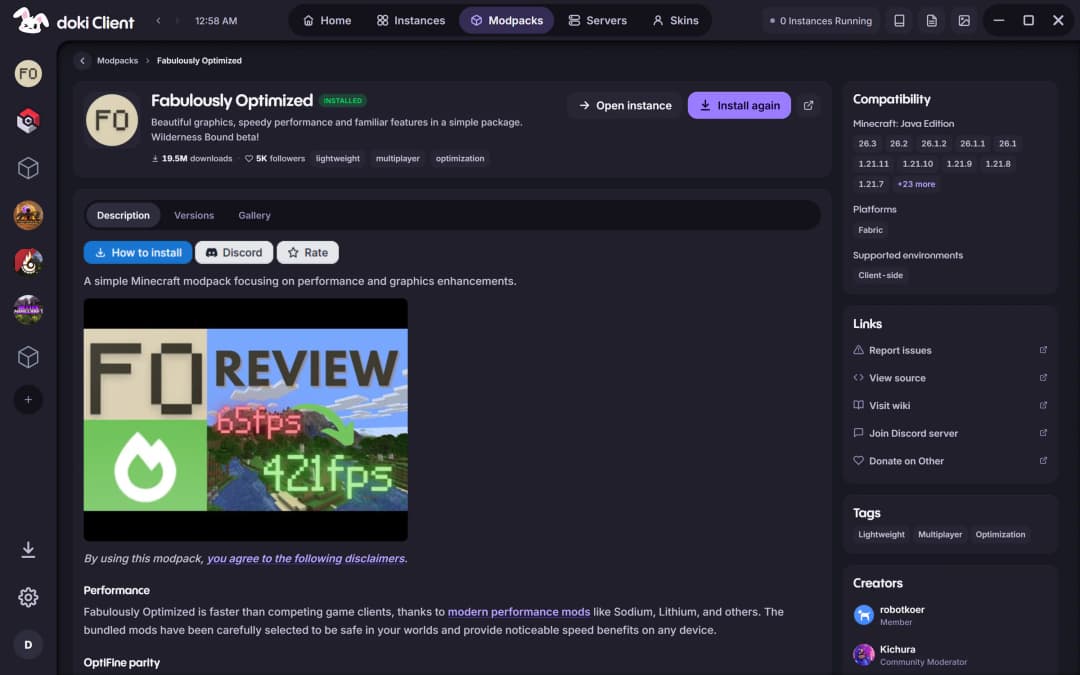
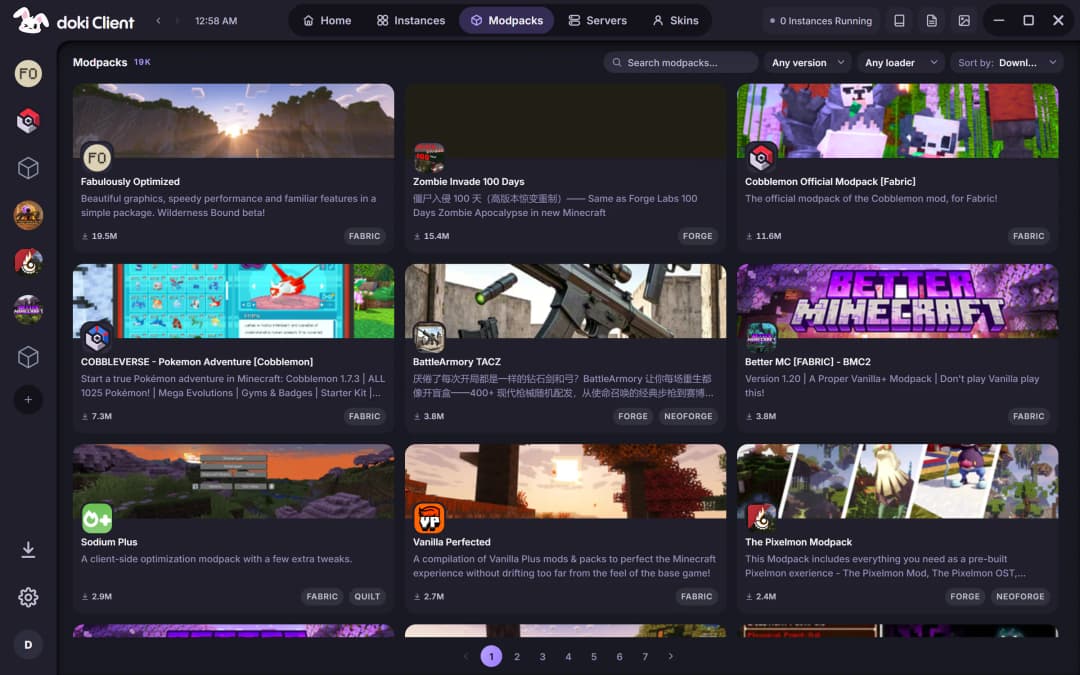
All of Modrinth, inside the launcher.
Browse modpacks, mods, resource packs, shaders and datapacks without opening a browser. Dependencies come along on their own, downloads run in parallel, and every file is checked against its hash before it's used.
- One-click modpack installs
- Dependencies resolved for you
- Compatibility checks that never silently switch a mod off
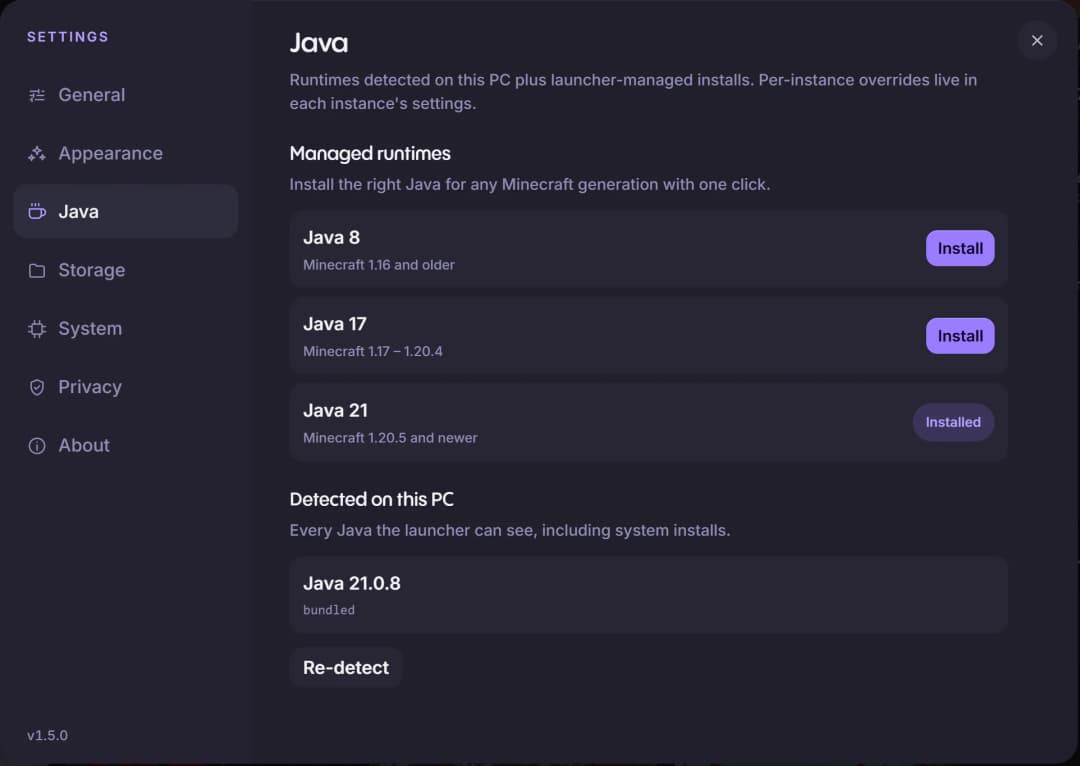
Java comes included.
doki ships its own Java 21, and installs Java 8 or 17 in one click for older versions. Each instance gets the right one automatically, so a broken system Java can't stop a launch.
- Java 21 bundled with the launcher
- Java 8 and 17 in one click
- Override it per instance if you want
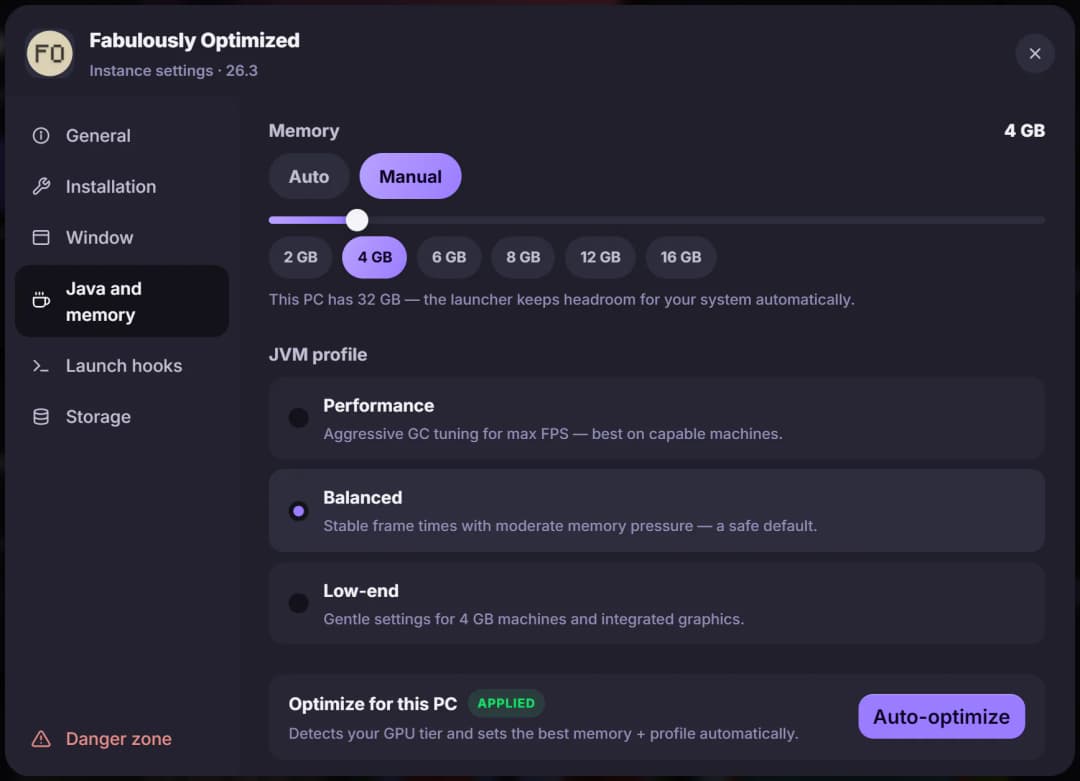
Memory sized for your PC.
Set memory with a slider, or let Auto-optimize detect your graphics and pick the memory and JVM profile for you. doki keeps headroom for the rest of your system either way.
- Auto-optimize for this PC
- Performance, Balanced and Low-end profiles
- A slider or one-tap presets
Play your way: offline or signed in.
No premium account? Make an offline profile and play. Have one? Sign in and get everything online too.
- Offline profiles
- Pick a username and play singleplayer, LAN and servers that allow offline players. No account to buy first.
- Microsoft sign-in
- Sign in with Microsoft for online-mode servers, friends and chat, and your official skin and capes.
- Several accounts
- Keep more than one account on the same launcher and switch between them without signing anyone out.
- Encrypted on your PC
- Saved sign-ins are encrypted with AES-256-GCM, and on Windows the keys are protected by DPAPI.
Runs on the PC you have.
A launcher shouldn't need a gaming rig. doki is built in Rust rather than as a web browser in disguise, so it starts fast and stays light.
On an older laptop it turns its own effects down, gives the game gentler settings, and gets out of the way when you play.
- Lite mode
- Switches off the heavy interface effects on older machines. Auto picks it for you.
- Low-end profile
- Gentle JVM settings made for 4 GB machines and integrated graphics.
- Your real GPU
- On gaming laptops, tells Windows to run the game on the high-performance graphics card.
- Download mirror
- Game files fall back to a mirror when the official servers are slow or unreachable.
Set up once. Play.
One download for every version, loader and modpack, on Windows and Linux.