
Minecraft client with a 3D skin editor and live console
Everything while you play.
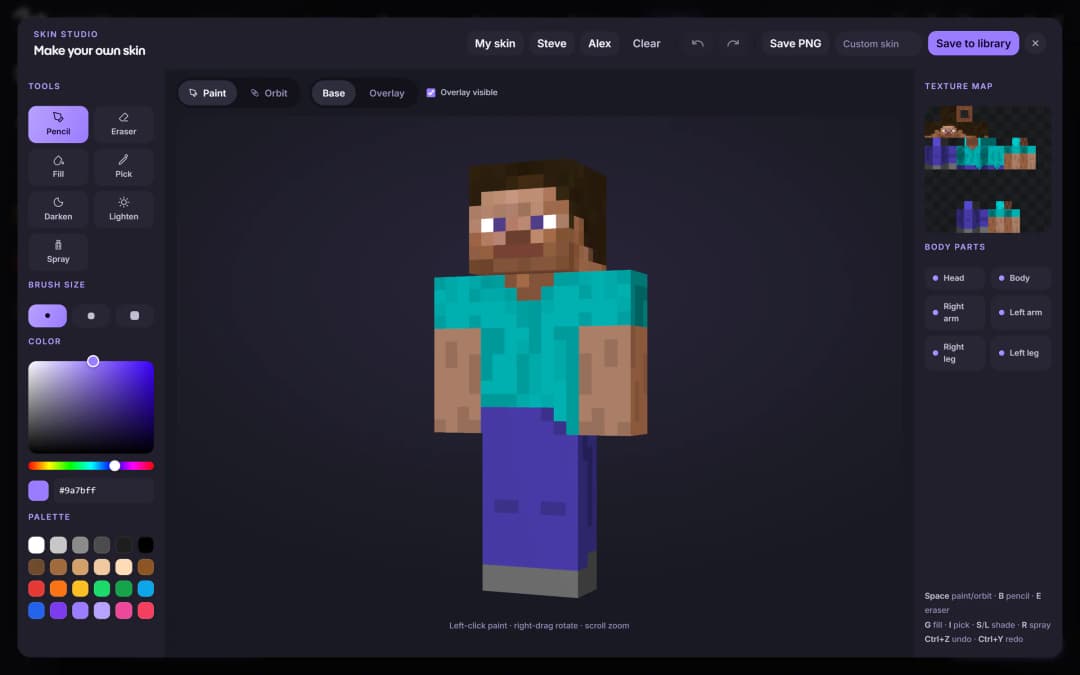
Paint your skin in 3D.
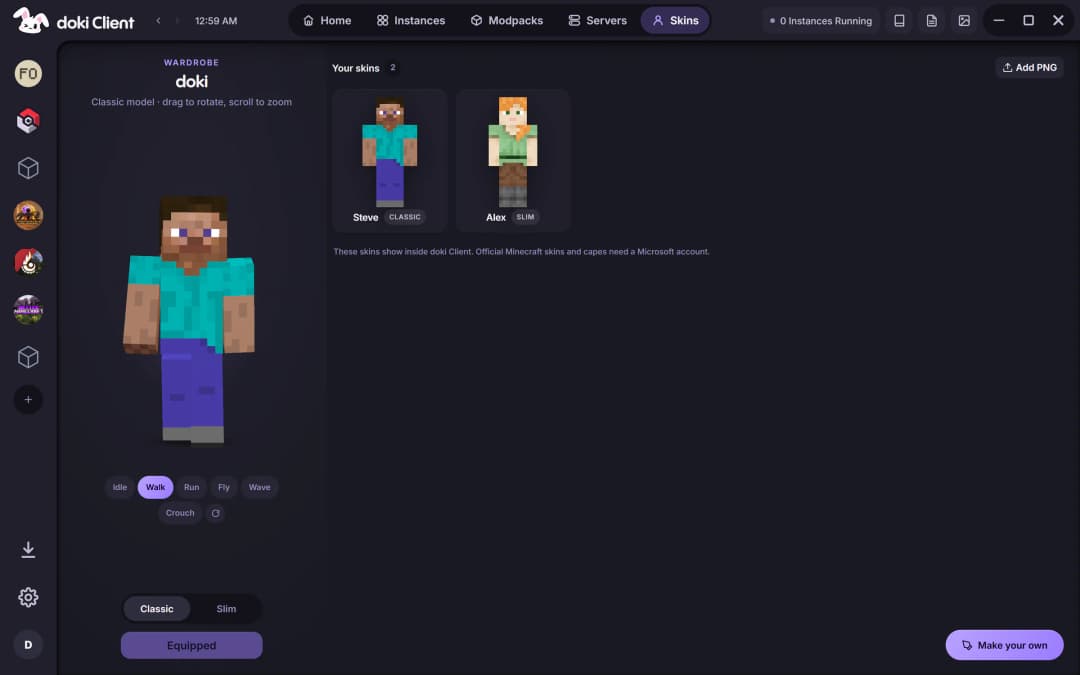
Skin Studio puts your skin on a 3D model you can spin and paint directly, with brushes, a palette and undo. Save it to your wardrobe, or add any PNG skin you already have. Official skins and capes need a Microsoft account.
- Paint right on the 3D model
- Classic and Slim models
- A wardrobe for every skin you make
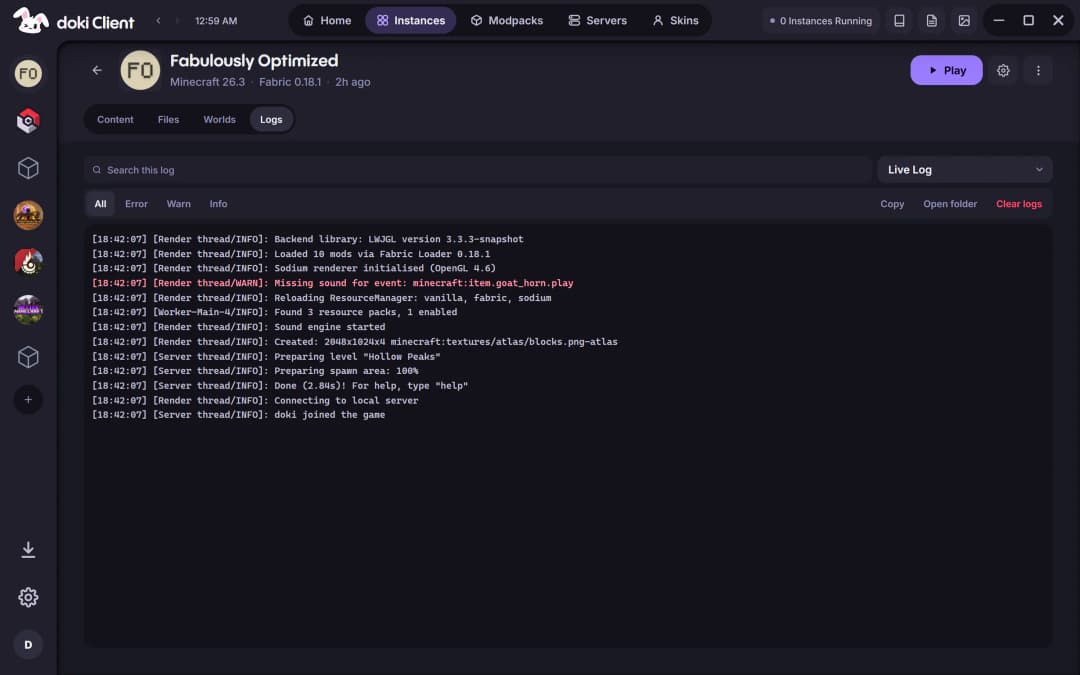
When a launch fails, you'll know why.
The live console opens with the game and shows the real output as it happens, with errors and warnings picked out. Search it, copy it, or open the log folder, instead of guessing.
- Filter to errors or warnings
- Search the whole log
- Launch errors explained in plain words
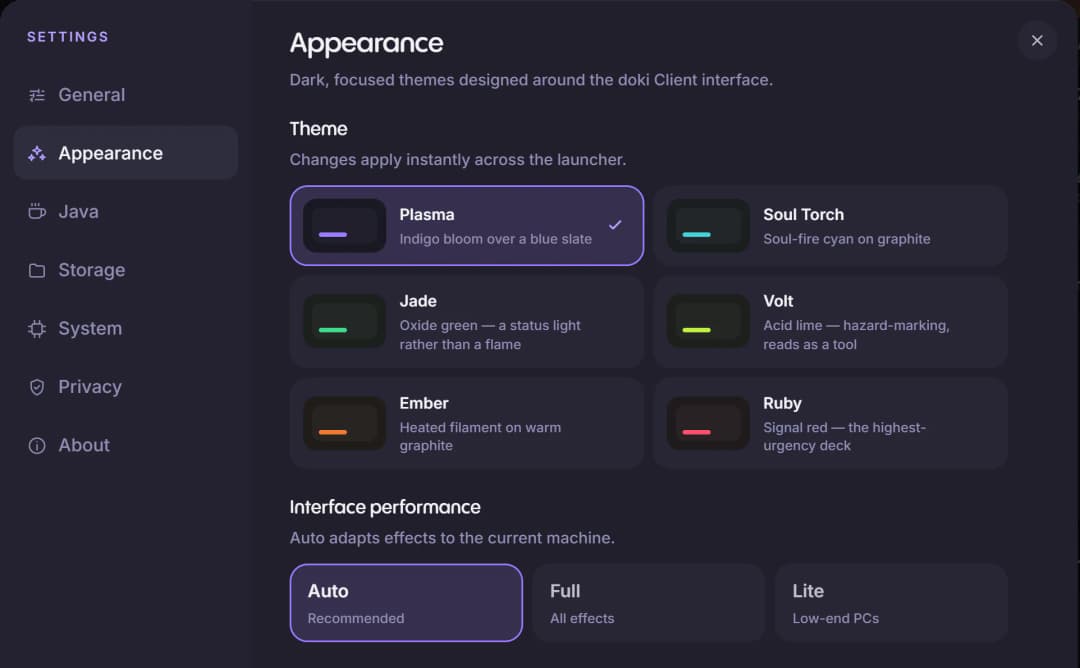
Six themes. Pick yours.
Plasma, Soul Torch, Jade, Volt, Ember and Ruby. The whole launcher changes the moment you pick one, and you can scale the interface to suit your screen.
- Six launcher themes
- Interface scale
- Full, Lite or Auto effects
And everything around the game.
- Servers
- Browse featured servers with their live status, then join one with your instance in a click.
- Friend Zone
- Add friends by Minecraft username, see who's playing and chat. Needs a Microsoft account, and your friends need doki too.
- Screenshots
- Every instance's screenshots in one place, with a viewer and an editor that saves a marked-up copy beside the original.
- Minecraft Wiki
- The Minecraft Wiki opens inside the launcher, so a recipe is never more than a click away.
- Discord status
- Discord Rich Presence shows your instance and what you're playing on your profile. Switch it off any time.
Same app. Still there.
The launcher and the client are one download. When the game starts, doki steps aside to the tray, keeps the console ready, and comes back when you're done.
- Runs in the background
- Hides to the tray while you play, so the game gets your PC.
- Back when you're done
- Brings the launcher back on its own when the game closes.
- Session alerts
- Tells you when a game closes or crashes.
- Nothing left running
- Points out games still running from an earlier session when you start up.
Make it yours.
Skins, servers, friends and the console, in the same download as the launcher.